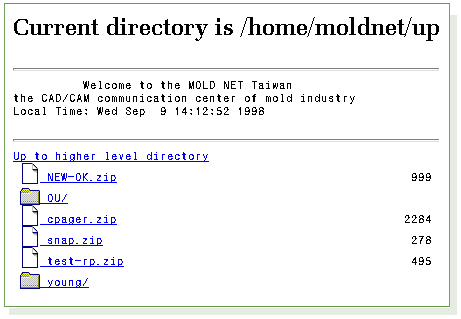
1. After enter the password and click the
"Go FTP" button, your browser will open a new window and
display the directories and files on
our server.
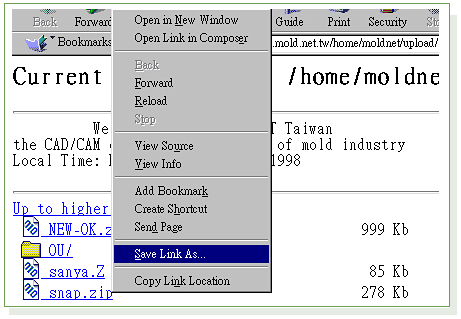
2. Click on the directory name in which you want to
download or upload file, then you will see the files
in that directory.
3. Make sure the "Current directory is /home/?????"
displayed on the screen matches your destination directory,
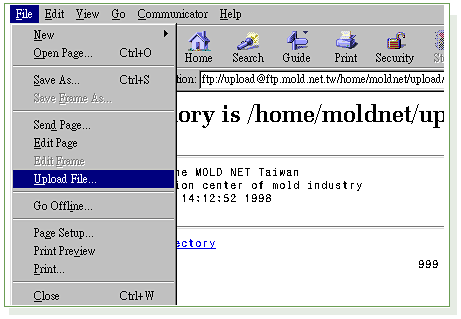
then you might download or upload file within that directory.
This method work with Netscape Navigator and Microsoft
Internet Explorer. Microsoft
Internet Explorer has no upload function and
can only be used to download files.
Although this form work with most popular browsers,
we still strongly suggest you that find and try a
professional FTP software like
Cute FTP . You will be benefit from such software
for operation convenience, time saving and many more.